






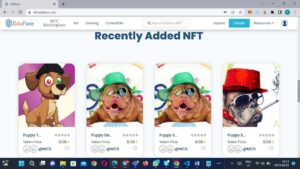
EdaFace NFT Marketplace supports cross platform transfers, allowing you to transfer your NFTs from other platforms to EdaFace and vice versa.
To transfer your NFT from another platform to the EdaFace NFT Marketplace, follow these simple steps:
Step 1: Create an EdaFace Account
Register for a free account at nft.edaface.com. You will only need a username, email address, and a secure password.
Step 2: Fund Your Wallet
Log in to your non-custodial wallet and fund it with Eda Coin ($EDA) to cover transaction fees. EdaFace transaction fees are minimal and among the lowest in the industry.
If you do not know how to fund your wallet, refer to the lessons in Grade 6 of the Primary School of Cryptocurrencies at EdaFace Academy.
Step 3: Connect Your Wallet
Click Connect Wallet on the EdaFace NFT Marketplace and select your wallet. If your wallet is unlocked, it will connect automatically.
Step 4: Access Your NFT Collection
Once your wallet is connected, your NFTs will appear under My Items in your EdaFace account. To access My Items, click the wallet icon at the top right corner.
Please note that although your NFTs are visible after connecting your wallet, they are not yet listed on the EdaFace NFT Marketplace. To list an NFT, proceed to the next step.
Step 5: Select the NFT for Listing
Click on the NFT you want to list in any of the three arenas on the EdaFace NFT Marketplace. This will open the NFT details page. Then click List on Marketplace.
Step 6: Enter the NFT Details
Provide the required information, including:
Blockchain network
Whether you want to put the NFT on sale
Name
Brief description
Collection folder for organising your NFTs
Category
Social media links, portfolio, or other relevant links
Step 7: Deposit to EdaFace
After entering the required details, click the List button at the bottom of the page. This will allow you to:
Transfer the NFT from the other marketplace to the EdaFace NFT Marketplace.
Call the smart contract method to list the NFT on the EdaFace NFT Marketplace.
Step 8: Put the NFT on Sale
If you did not choose to put the NFT on sale in Step 6, you can do so after depositing it. Click Deposit to access the available sale options:
Fixed Price
Timed Auction
Unlimited Auction
Select your preferred sale option, enter the required information, and click Submit.
Congratulations! Your NFT has now been deposited on the EdaFace NFT Marketplace and is available for sale in your chosen arena.
To start Minting today, visit: https://nft.edaface.com

No Comments
No comments yet — be the first to share your thoughts.